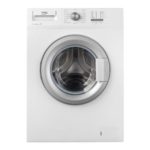
Modern washing machine - a rather complex unit. Not all users can immediately understand the available operations and sometimes errors. The following situations arise from time to time.
- Dirty laundry is loaded into the drum
- the required program is selected,
- press "start".
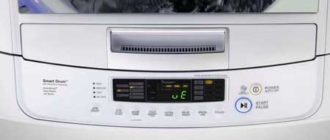
But nothing happens. Instead of the expected murmur of water, there is silence, and a CL error appears on the monitor of the washing machine.
Specified CL error - decryption
The appearance of the combination of letters “CL” on the display of the LG automatic washing machine indicates that a special lock provided for young children (Child Lock in English) has been activated. This mode provides for the simultaneous blocking of all keys, except for the "start" button. Why is it needed?
He protects LG car from possible encroachments of small children, turning off washing machines or changing the mode from accidental pressing. It is possible that it was activated by you in the last wash by accident or deliberately, but you forgot about it. Perhaps other family members did it, and forgot to warn. Be that as it may, this fact is not worth much worrying. The CL error code is a general informational message, not an error.
Is it possible to disable this mode on LG washing machines
This operation can be performed by the user himself. To do this, he should press and hold two buttons at the same time for about three to four seconds. They can be marked with a picture of a baby's pacifier or a painted baby face with a lock.
In addition, for various models of the unit, these may be the following keys:
- Extra rinse or intensive wash;
- Washing preliminary and super rinsing;
- One of the temperature option buttons.
What is the described blocking mode for?
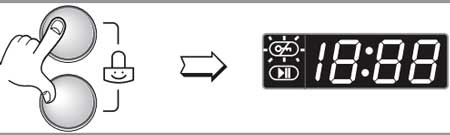
Parents and other relatives of babies are well aware of the restlessness of children. They are especially interested in everything that is forbidden: they certainly need to “poke” and press the forbidden buttons. You can turn this mode on in exactly the same way as you can turn it off, as already described above.
Such blocking prohibition can only be activated during washing. The washing machine, after activating it, displays a CL error on the screen. When the washing process ends, this function remains active. You can only deactivate it on purpose, by holding down the already mentioned keys again.
If this is not done, then at the next wash, the machine will refuse to work and will show the CL error.
If your household assistant shows this error and you cannot turn off the activated lock yourself, call the service department.


smell the bebra